
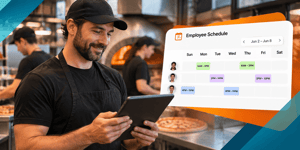
"Having those two systems be able to talk to each other is pure magic."
Serina Cinnamon, Owner, Quatro's Deep Pan Pizza
Running a pizza shop means constantly balancing two things: having enough people to handle the rush and keeping labor costs under control.
Schedule too many employees for a slow Tuesday afternoon, and you're paying for hours you don't need. Schedule too few for Friday dinner, and your team struggles to keep up with orders.
For many pizzeria operators, the challenge isn't knowing they need a better schedule. It's finding the time and information to build one.
Effective pizza shop employee scheduling starts with understanding your sales, tracking actual hours worked, and making adjustments before labor costs get out of hand.
Here are five practical scheduling habits that can help, plus how the Thrive POS and 7shifts integration connects restaurant sales and employee information with scheduling tools.
See How One Pizza Shop Simplified Employee Scheduling
At Quatro's Deep Pan Pizza, owner Serina Cinnamon was doing scheduling in one application that wasn't speaking to her point of sale system. She needed the two to talk to each other.
Connecting Thrive POS and 7shifts gave her employees a more seamless experience and made scheduling and tracking more manageable for her management team.
Hear Serina explain how the integration made a difference for her restaurant.
Connecting the systems made the difference at Quatro's, but good scheduling also comes down to a few habits. Here are five to start with, whether or not you use 7shifts.
5 Ways to Control Labor Costs in a Pizza Shop
1. Schedule Employees Based on Sales, Not Guesswork
Ask yourself: Are you scheduling the same crew every shift, whatever the sales say?
A good employee schedule starts with understanding when your pizza shop is busiest.
Friday dinner and Tuesday lunch probably don't need the same number of employees. Even within a single day, staffing needs can change significantly between lunch, mid-afternoon, and dinner.
Instead of scheduling the same number of people every shift, review historical sales by day and time.
Look for patterns in order volume, sales, and peak periods. Then build schedules around the demand you expect.
For example, you might need additional kitchen employees during Friday's dinner rush but fewer people during slower afternoon hours.
Quick tip: Review sales patterns over several comparable weeks rather than relying on one unusually busy or slow day. Account for holidays, school schedules, sporting events, and local promotions.
How Thrive POS + 7shifts Helps
Thrive POS provides sales information that can be used with 7shifts scheduling tools.
By connecting restaurant sales data with employee scheduling, managers can make more informed staffing decisions without relying entirely on memory or manually comparing disconnected reports.
The goal is simple: schedule the people you need when you need them.
Once the schedule matches demand, check how each shift actually went.
2. Track Actual Hours Worked, Not Just Scheduled Hours
Ask yourself: Do you know how many hours your team actually worked last week, not just what was scheduled?
A schedule tells you when employees are supposed to work.
Your time-clock records tell you when they actually worked.
Those numbers aren't always the same.
Employees may clock in early, stay late, miss a punch, or work longer than expected during a busy shift.
If managers only review scheduled hours, they can miss the difference between planned and actual labor.
Make it a habit to review employee punches regularly and address discrepancies before they become larger payroll or scheduling problems.
Quick tip: Compare scheduled hours with actual hours each week. Look for recurring early clock-ins, late departures, and unexpected overtime. Always account for applicable wage-and-hour requirements.
How Thrive POS + 7shifts Helps
Thrive POS captures employee time-clock activity, while the 7shifts integration connects relevant employee and punch information with scheduling.
This helps managers compare planned schedules with actual hours worked without maintaining completely separate records.
At Quatro's Deep Pan Pizza, Serina Cinnamon said employees are no longer clocking in more than five minutes on either side of their shift. She said it has helped with punctuality and labor because employees know they need to show up for work on time.
Her experience illustrates how connected scheduling and time-clock tools can help operators put better labor practices into action.
Hours are half the picture. The other half is what they cost.
3. Monitor Labor Costs Throughout the Week
Ask yourself: When do you first see your labor cost, before payroll closes or after?
Waiting until payroll closes to review labor costs means you're looking at decisions that have already been made.
Instead, make labor monitoring part of your regular management routine.
One useful metric is labor cost percentage:
Labor Cost % = Labor Cost ÷ Sales × 100
For example, if your pizza shop generates $10,000 in sales and incurs $2,800 in labor costs during the same period, your labor cost percentage is 28%.
The important thing isn't just knowing the percentage. It's understanding what it means for your operation.
Are you spending more on labor because sales were slower than expected? Did employees work extra hours? Are you consistently overstaffed during certain periods?
Reviewing those patterns during the week gives managers an opportunity to improve upcoming schedules.
Quick tip: Compare labor performance across similar days and shifts. A slow Tuesday shouldn't be evaluated the same way as a busy Friday night.
How Thrive POS + 7shifts Helps
By connecting Thrive POS sales and employee time information with 7shifts, managers have more of the information needed to evaluate staffing decisions.
Instead of relying only on end-of-period reports, operators can use available sales and labor information to identify patterns and plan adjustments to upcoming shifts.
That makes scheduling a continuing management process rather than a once-a-week task.
Labor numbers are only as good as the records behind them.
4. Keep Employee Records and Time-Clock Information Consistent
Ask yourself: When an employee changes roles, how many places do you have to update?
When employee information lives in multiple disconnected systems, small inconsistencies can create unnecessary work.
An employee's role changes, but the scheduling system still shows the old position. A new hire is added to one system but not the other. A manager corrects a record without realizing it needs attention elsewhere.
Over time, those inconsistencies make scheduling and labor reporting more difficult.
Establish a clear process for maintaining employee records and correcting time-clock issues.
Managers should know which system controls employee information, who can make changes, and how corrections are handled.
Quick tip: Assign responsibility for employee record updates and review changes regularly, especially when employees move between roles or locations.
How Thrive POS + 7shifts Helps
The integration uses employee information managed through Thrive POS and Thrive Control Center to support connected records in 7shifts.
That can reduce duplicate administrative work and help keep employee information consistent between the systems.
Your Thrive POS team can help explain the appropriate setup and record-management process for your restaurant.
Clean records matter most when someone new joins.
5. Make New-Hire Scheduling Easier
Ask yourself: What has to happen before a new hire can show up on the schedule?
Hiring a new employee involves enough paperwork and training without entering the same information into multiple systems.
Before a new team member can appear on the schedule, managers may need to establish their employee record, department, job role, and other scheduling details.
When those steps happen separately in disconnected applications, mistakes and delays become more likely.
Create a consistent onboarding process so every employee is entered correctly and assigned the appropriate role before their first shift.
Quick tip: Use a new-hire checklist that covers employee setup, job roles, scheduling access, training, and time-clock procedures.
How Thrive POS + 7shifts Helps
The Thrive POS and 7shifts integration supports synchronization of employee information, departments, and job roles as part of its configured workflow.
This can reduce duplicate data entry and help managers maintain more consistent employee records across the two platforms.
Initial setup and employee record preparation may be required, particularly for restaurants already using 7shifts.
That's five habits. Here's how the two systems support them.
How Thrive POS and 7shifts Work Together
Good scheduling depends on having the right information available when managers need it.
Thrive POS helps pizza shops manage sales, employee time tracking, and restaurant operations.
7shifts provides restaurant-focused employee scheduling and workforce management tools.
The integration connects relevant sales, employee, and time-clock information from Thrive POS with 7shifts, helping operators use their restaurant data to support scheduling decisions.
Managers continue to build and publish schedules using 7shifts, while Thrive POS and Thrive Control Center provide important operational and employee information.
The result is a more connected approach to scheduling, without requiring managers to maintain completely separate sets of information.
Want the details? Read our 7shifts integration announcement for how it works and how to get started.
Frequently Asked Questions About Pizza Shop Employee Scheduling
How do you create an effective employee schedule for a pizza shop?
Start by reviewing historical sales and order volume by day and time. Identify your busiest periods, determine the roles needed for each shift, and schedule employees accordingly. Review actual hours worked and adjust future schedules as demand changes.
How can pizza shops control labor costs?
Pizza shops can manage labor costs by scheduling around expected sales, monitoring actual hours worked, reviewing labor cost percentages, and identifying recurring overstaffing or overtime patterns. Consistent time tracking and scheduling reviews help managers make more informed decisions.
Can a pizza POS integrate with employee scheduling software?
Yes. Some pizza POS systems integrate with workforce management platforms to connect restaurant sales and employee information with scheduling tools.
Thrive POS integrates with 7shifts to support connected employee records, time-clock information, and scheduling workflows.
Does 7shifts replace Thrive POS employee time tracking?
No. Thrive POS and 7shifts serve complementary purposes.
Thrive POS provides restaurant operational and employee time information, while 7shifts provides scheduling and workforce management tools. The integration connects supported information between the systems.
Do you need a separate 7shifts subscription?
Yes. 7shifts is a third-party service that requires a separate subscription. Available features may vary by 7shifts plan, and integration setup requirements should be confirmed with Thrive POS.
Better Scheduling Starts with Better Information
You don't need to completely reinvent your scheduling process to improve labor management.
Start with a few consistent habits: schedule around sales patterns, compare planned hours with actual punches, review labor performance regularly, and keep employee records accurate.
Then look for ways to make those habits easier to maintain.
With Thrive POS and 7shifts working together, pizza shop operators can connect their sales and employee information with scheduling tools, helping managers spend less time coordinating systems and more time running their restaurants.
Make Employee Scheduling Easier with Thrive POS + 7shifts
Discover how the integration connects restaurant operations with employee scheduling and workforce management.
Explore the Thrive POS + 7shifts Integration
Already a Thrive POS customer? Read the 7shifts integration announcement and ask your Customer Success Partner to get you connected.
7shifts is a third-party service requiring a separate subscription. Integration availability, features, and setup requirements may vary. Contact your Thrive POS Customer Success Partner for details.
