

Thrive Connect
Every delivery order on one screen, not four tablets
A DoorDash order lands on one tablet, Uber Eats on another, Grubhub on a third. Somebody retypes each one into the POS between making pizzas, and that is where the wrong modifier and the bad address come from. Change a price and you change it four times. Run out of dough at five and the tablets keep selling until someone remembers to shut them off.
What Thrive Connect does
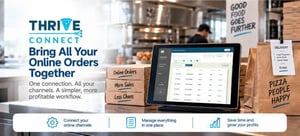
Connect brings your delivery orders into Thrive POS. They print to the same kitchen printer, hit the same tickets, and land in the same reports as a phone order. Your menu, your prices, and your out-of-stock items publish out to the channels from one place.
- Orders come into Thrive POS, so nobody is keying them in a second time
- Menu, pricing, and availability publish out to every connected channel
- One set of reports across your channels and your own orders
- One line on your Thrive POS bill instead of a separate vendor invoice
- Every channel you sell on in one place, with each one costing less than the last
Channels
- DoorDash
- Uber Eats
- Grubhub
- and more
Ask us which channels are available for your stores.
The more channels you connect, the less each one costs
- Connect every channel you sell on A tablet you did not connect is still a tablet on the counter, still getting orders retyped by hand. The problem goes away when all of them come into Thrive POS, not some of them.
- Each channel costs less than the one before it Pricing steps down as you add. Running three or four channels costs less per channel than running one, so the shops getting the most out of Connect are the ones running all of them.
- Pick up a new marketplace later? It slots in Add a channel whenever you start selling on one, at the better per-channel rate you have already earned.
Already running in pizza shops
Thrive Connect came out of beta with operators running it live across multiple channels in their shops every day.
How it is billed and supported
One bill
Connect is a Thrive POS product. It shows up as a line on the invoice you already get, priced by how many channels you run, with no separate vendor to set up or pay.
Getting set up
We handle the setup with you, including mapping your menu out to each channel so what customers see matches what your kitchen can actually make.
Common questions
Which delivery apps can I connect?
DoorDash, Uber Eats, Grubhub, and more. Ask us which channels are available for your stores and we will confirm the current list.
Do I still need the tablets?
No. Orders come into Thrive POS and print with everything else, so your team works one screen instead of a row of tablets and nobody is retyping an order under pressure.
Does my menu sync automatically?
Yes. Menu changes, price changes, and out-of-stock items publish out from Thrive POS to your connected channels, so you are not maintaining the same menu in three places.
What happens when I run out of an item?
Mark it unavailable in Thrive POS and that publishes out to the channels, so the apps stop selling something your kitchen cannot make.
Should I connect all of my channels?
Yes. Any channel you leave off keeps a tablet on the counter and keeps someone retyping those orders. Pricing steps down as you add channels, so running all of them costs less per channel than running one.
How does billing work?
Connect is billed by Thrive POS as part of your existing invoice, priced by how many channels you run. There is no separate vendor account to set up.
Already running Thrive POS? Contact support to talk about turning on Thrive Connect.