
It's Friday afternoon. Someone just called out for the dinner rush. You're texting three people at once, digging through a group chat to find who's available, and hoping someone picks up before the ovens get slammed.
Scheduling shouldn't be the hardest part of running a pizzeria.
That's why Thrive POS now integrates directly with 7shifts, the restaurant industry's leading scheduling platform. It's built for exactly this kind of chaos, and built to end it.
Requirement: This integration is available on Thrive POS 8.3.24 and up.
The Problems This Solves
If any of these sound familiar, this integration is for you:
- You're managing schedules across multiple locations with no single view of who's working where.
- Labor costs keep creeping up because you don't have real-time visibility into hours until the pay period's already over.
- Shift changes mean chasing people down by text, call, or group chat, and hoping it lands.
- Compliance rules (breaks, overtime, minor labor laws) are one more thing you have to track manually instead of trusting the system to catch it.
- New hires and terminations mean double data entry: once in your POS, once in your scheduling tool.
How Thrive POS + 7shifts Fixes It
- One employee profile, every location. Employee data set up in Thrive Control Center (TCC) flows straight into 7shifts, so nobody re-enters staff every time someone's hired, transferred, or let go.
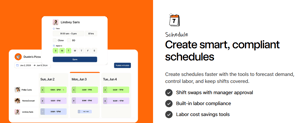
- Build a week's schedule in minutes, not hours, with drag-and-drop scheduling that accounts for availability, labor laws, and sales forecasts.
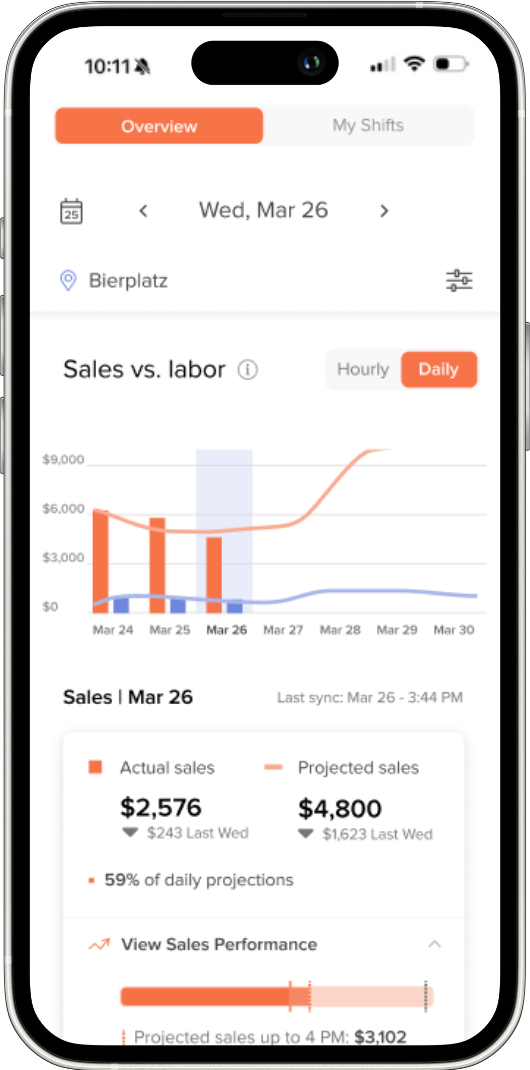
- See labor cost in real time, not after the pay period closes, so you can adjust before it becomes a problem.
- Built-in tools to help track breaks, overtime, and minor labor laws, so less falls through the cracks.
- Shift updates reach your team instantly through the 7shifts app. No more group texts into the void.
One rule worth knowing up front: edit time punches in Thrive POS, not in 7shifts. Editing in both places is how you end up with two versions of the same shift. If third-party punches are enabled for your account, that flips, and 7shifts becomes the place to edit. We'll tell you which applies to you during setup.
What It Costs
Plans vary by number of employees and locations, and some features, including labor compliance tools, are only available on higher-tier plans. See 7shifts' current pricing for the full breakdown.
Coming soon: tip pooling integration.
Getting Started
Complete the form below and your Customer Success Partner (CSP) will reach out to handle the rest, including confirming your version and getting you connected.
Whether you're running one pizza shop or ten, this integration gives you back the hours you're currently losing to scheduling headaches. Spend them on the ovens, not the group chat.