
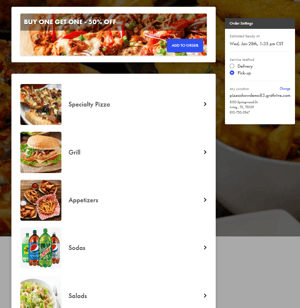
More control over how your online menu looks - Choose How Your Menu Images Display
Thrive Online now includes a new design setting that lets you choose how item and category images are displayed on your online ordering site. You can switch between circular images and rounded rectangle images directly in Thrive Control Center, with changes applied instantly.
Why rounded rectangles work well
Most pizza, sandwich, and appetizer photos are shot in rectangular formats. When those images are forced into a circle, important details can get cropped out.
Rounded rectangle images:
-
Show more of the food without awkward cropping
-
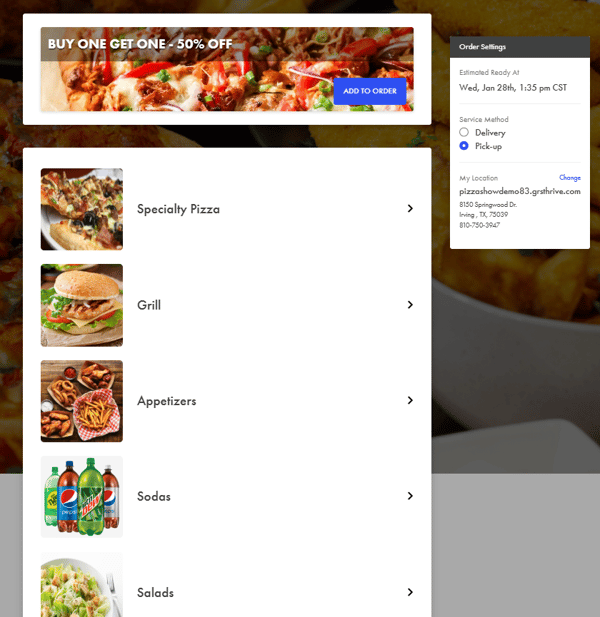
Match common digital menu boards and delivery app layouts
New Rounded Rectangle Display
How to Enable It
-
Open Thrive Control Center
-
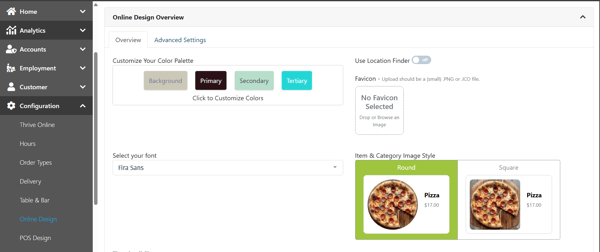
Go to Configuration > Online Design> Company Level
-
Choose your preferred Item & Category Image Style
- Save and Publish
That is it. No rebuilds or additional setup required.
Why this update matters
This enhancement gives operators more flexibility without adding complexity. Rounded rectangle images provide a more modern, structured look, while circular images maintain a familiar layout many shops already use.
The goal is simple, make it easier to present your menu the way you want customers to see it.