
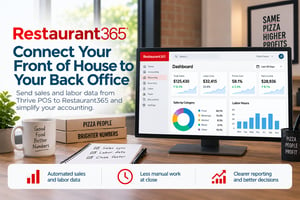

Restaurant365 Integration for Thrive POS
Push daily sales and labor into R365 without manual weekly exports
Closing the books should not start with chasing POS exports. After a busy week of dine-in, pickup, delivery, discounts, voids, tenders, deposits, and labor punches, your back office needs clean data they can work from without rebuilding the week by hand.
The Restaurant365 integration helps move sales and labor data from Thrive POS into R365, so accounting and operations teams can work from the same daily activity. Instead of exporting files, re-keying numbers, or waiting for someone to send the right report, R365 can use POS data to support daily sales summaries, reporting, accounting, and labor analysis.
What you can do with it
- Send Thrive POS sales data into Restaurant365 for accounting and reporting
- Bring labor data into R365 to support labor reporting and analysis
- Use POS sales activity to support daily sales summaries in R365
- Reduce manual exports, spreadsheets, and duplicate entry at close
- Help accounting see sales, tenders, paid outs, deposits, and labor activity in one back-office system
- Give operators and finance teams a cleaner handoff between the restaurant floor and the books
Why it matters for a pizza shop
Pizza shops run on volume. A normal week can include hundreds or thousands of tickets across walk-in, phone, online, delivery, third-party, catering, and timed orders. Add coupons, house accounts, cash handling, driver activity, and manager adjustments, and a manual close becomes a lot of small details that are easy to miss.
Restaurant365 helps make that back-office handoff cleaner. Sales and labor activity from Thrive POS can flow into R365, giving the accounting team a better starting point for close and giving operators a clearer view of performance without waiting on a manual export process.
How it works alongside Thrive POS
Thrive POS remains the source of record for restaurant sales and labor activity. Restaurant365 receives POS data and uses it for accounting, reporting, and analysis inside R365. That means the restaurant keeps running its orders, tickets, payments, and employee activity in Thrive, while the back office gets the information it needs in R365.
Sales data that travels
Daily POS activity can move into R365 so sales, tenders, discounts, deposits, and other transaction details are easier for accounting to review and reconcile.
Labor in the same picture
Labor data from Thrive POS can support R365 reporting, helping teams compare sales and staffing without pulling numbers from separate places.
A cleaner close
Instead of building the week from exports and spreadsheets, your back office can start with POS data already flowing into the system they use to close the books.
For operators using Thrive POS in the store and Restaurant365 in the back office, the integration helps connect daily restaurant activity with accounting workflows. The goal is simple: less manual work between the register and the close.
Setup, support, and cost
Getting started
Talk to Thrive POS to confirm your Restaurant365 integration needs, locations, and data flow. We will help you understand the next steps for connecting Thrive POS with R365.
How it is billed
Restaurant365 is a separate back-office and accounting platform. Pricing, setup, and support may depend on your Restaurant365 agreement, your number of locations, and the scope of your integration.
Common questions
What does the Restaurant365 integration do?
It helps move sales and labor data from Thrive POS into Restaurant365, so your back office can use that data for accounting, reporting, and analysis instead of relying on manual exports.
Does Restaurant365 replace Thrive POS?
No. Thrive POS remains the system your restaurant uses for orders, payments, employee activity, and daily operations. Restaurant365 supports back-office workflows such as accounting, reporting, and analysis.
What kind of POS data can flow into R365?
Restaurant365 POS integrations can import sales, labor, and payment information. Available data can vary by POS setup, location configuration, and the details supported by the integration.
Can this help reduce manual close work?
Yes. The integration is designed to reduce manual exports and duplicate entry by moving POS data into Restaurant365, giving the accounting team a cleaner starting point for daily and weekly close workflows.
Does R365 change orders or data inside Thrive POS?
No. Thrive POS remains the source of record for POS activity. Restaurant365 uses the imported data for reporting, accounting, and analysis, but it does not replace the POS workflow inside the restaurant.
Who do I contact to get started?
Talk to Thrive POS and we will help you review your Restaurant365 setup, confirm fit, and understand the next steps for connecting your systems.
Already running Thrive POS? Contact support to talk about adding Restaurant365.
See everything Thrive POS connects to on our integrations page.
Schedule a Call with Your Thrive POS Professional
Schedule an appointment to discuss potential updates and upgrade benefits for your business and Thrive POS system