
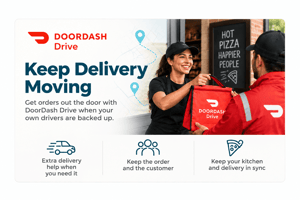

DoorDash Drive Integration for Thrive POS
Keep delivery moving when your own drivers are backed up
Friday night does not wait for a full driver board. When the phones are ringing, online orders are coming in, and your drivers are already stacked up, delivery can become the bottleneck even when the kitchen is keeping pace.
DoorDash Drive gives Thrive POS customers another way to get the order out the door. From inside Thrive, you can hand a delivery to a DoorDash driver when you need extra delivery help. You keep the order, you keep the customer, and your team gets a backup option when your own drivers are stretched thin.
What you can do with it
- Send a delivery to a DoorDash driver from inside Thrive POS when your own drivers are backed up
- Use DoorDash Drive as overflow delivery help during rushes, call-outs, and high-volume nights
- Keep the order in Thrive instead of pushing the customer to a third-party marketplace
- Protect quoted delivery times when the kitchen is caught up but the driver board is full
- Reduce the need to pause delivery, turn away orders, or overload the drivers you have
- Give managers a delivery backup option without changing how the order is captured
Why it matters for a pizza shop
Delivery is part of the promise for most pizza shops. When customers order a hot pizza, they do not care that two drivers called out or that a school fundraiser hit at the same time as the dinner rush. They just know whether the order showed up when you said it would.
DoorDash Drive helps protect that promise. Instead of choosing between falling behind, shutting off delivery, or sending customers somewhere else, your team can use DoorDash Drive as an overflow option when your in-house drivers are at capacity.
How it works alongside Thrive POS
DoorDash Drive is used for delivery fulfillment. Thrive POS remains the place where the order lives. When you need help with a delivery, the order can be handed to a DoorDash driver from inside Thrive, while your team keeps running the sale through your normal workflow.
Overflow, not replacement
Use your own drivers when they can handle the load, and use DoorDash Drive when the rush gets ahead of them. It gives you another option without changing your delivery model.
The order stays yours
The customer places the order with your restaurant, and the order stays in Thrive. DoorDash Drive helps with the delivery leg, not the customer relationship.
A rush-hour safety valve
When the kitchen is moving but deliveries are piling up, managers have a way to keep orders flowing instead of watching the delivery screen turn into a problem.
For shops that already use Thrive POS for ordering, dispatch, and customer management, DoorDash Drive adds a practical backup for the moments when delivery demand is bigger than the team scheduled to handle it.
Setup, support, and cost
Getting started
Talk to Thrive POS to confirm whether DoorDash Drive is available for your location and how it can be enabled for your delivery workflow.
How it is billed
DoorDash Drive costs and availability can depend on your setup and market. Tell us you are interested and we will help you understand the next steps before you launch.
Common questions
Do I have to stop using my own drivers?
No. DoorDash Drive is best used as an overflow option. You can keep using your own drivers and lean on DoorDash Drive when your team is backed up.
Is this the same as taking DoorDash marketplace orders?
No. The point of this integration is delivery outsourcing for orders your restaurant already captured. You keep the order and the customer, while DoorDash Drive helps fulfill the delivery.
When should I use DoorDash Drive?
Use it when your own drivers are stacked up, when someone calls out, or when a rush creates more delivery demand than your team can cover on time.
Does the order stay in Thrive POS?
Yes. The order stays in Thrive POS. DoorDash Drive is used to help complete the delivery, not replace your ordering workflow.
Who do I contact to get started?
Talk to Thrive POS and we will walk through whether DoorDash Drive fits your shop, your market, and your delivery operation.
Already running Thrive POS? Contact support to talk about adding DoorDash Drive.
See everything Thrive POS connects to on our integrations page.
Schedule a Call with Your Thrive POS Professional
Schedule an appointment to discuss potential updates and upgrade benefits for your business and Thrive POS system