
Turn on 7shifts scheduling in your Thrive POS
Your sales and labor data already exist. Put them to work on the schedule.
You are already paying somebody to build the schedule, and they are building it off feel. Meanwhile Thrive POS knows exactly what every daypart did last month. Connecting the two takes a setup call, not a project.
What turns on
- Sales history flows to 7shifts, so schedules get built against real dayparts
- Clock-ins, clock-outs, and breaks flow over automatically
- Employees, departments, and roles stay in sync
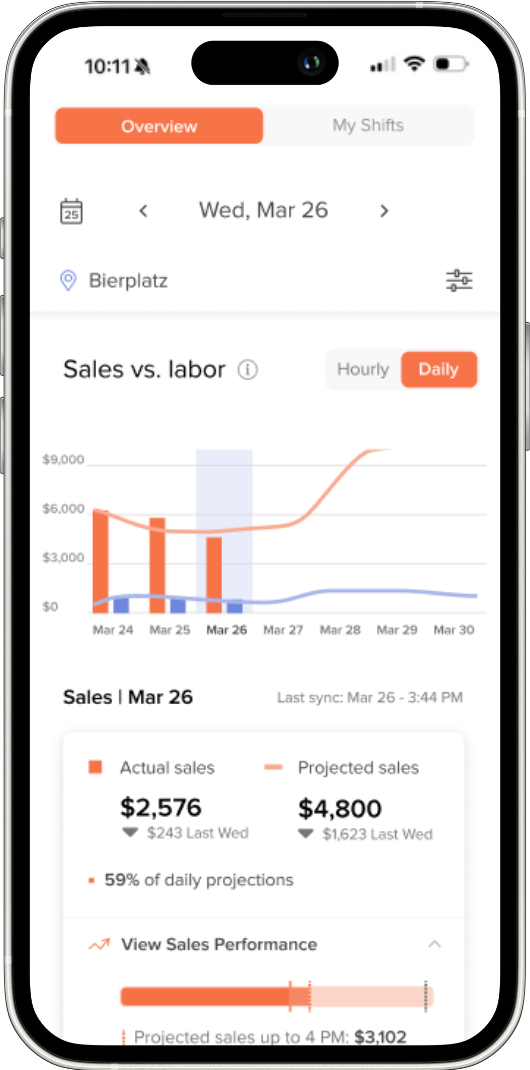
- Labor against sales while the week is still running, not after it closes
What we take care of
- We confirm you're on Thrive POS 8.3.24 or higher, and handle the upgrade if you're not
- We import your employees into Thrive Control Center
- We connect your 7shifts account, or get you set up if you don't have one yet
- We match you to the right 7shifts plan for your locations
Request 7shifts setup
You're ready to go. Submit the form and a Customer Success Partner (CSP) will reach out, confirm whether your locations need a 7shifts plan upgrade, walk you through setup, and get you connected.